Lightweight Android document reader and quick Docx editor for mobile productivity
Office Viewer - Docx Editor, from 3D Wallpapers by Happe, is an Android utility that provides mobile access to office documents and simple editing on the go. The app opens and edits DOC and DOCX files, displays PDFs with zoom and smooth scrolling, and supports viewing of XLS/XLSX and PPT formats without an internet connection. It includes file management, name-based search, and one-tap sharing, aimed at students, office professionals, and remote workers who need fast reviews and light edits.
What does Office Viewer do on Android devices?
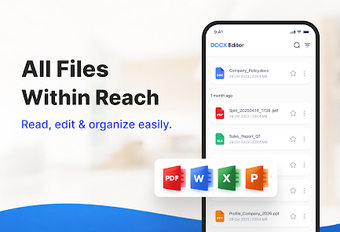
The app functions as an on-device document manager and basic editor, offering text and formatting edits specifically for Docx files and a built-in PDF reader. It provides internal file management to organize, rename, and delete documents without leaving the app. Supported formats include:
DOC / DOCX
XLS / XLSX
PPT / PPTX
PDF / TXT
These capabilities let users handle multiple file types from a single interface.
How much impact does it have on device performance?
The app emphasizes a small footprint and quick startup, described as having an extremely lightweight installation compared with full office suites. User reception highlights fast loading times and reliable offline operation, which reduces network activity while working. Those characteristics make the tool suitable for on-the-move editing and reviewing on typical Android hardware where large office suites cause longer startup and higher memory use.
Is it safe to use on a device without an account?
No mandatory account is required, so the app operates on local files and keeps document changes on the device unless the user shares them. Offline access and local editing mean uploads do not occur automatically. Printing and exporting use system-connected printers or saving as PDF through the device, so standard system print dialogs and permissions control external output rather than the app handling remote transfers.
Do I need technical knowledge to operate it correctly?
The interface is optimized for mobile navigation and small screens, providing name-based search and one-tap sharing that lower the learning curve for casual users. Advanced tasks such as deep spreadsheet manipulation are limited compared with dedicated spreadsheet editors, so users who require complex formula work or heavy formatting should pair this app with a specialized tool. Routine reading and simple Docx edits are accessible without technical training.
Practical choice for mobile review and light editing, with a clear limitation
Office Viewer is a pragmatic mobile option for users who need reliable offline document access and quick on-device edits, anchored by its lightweight install and reported fast load times. Treat it as a reviewer and minor editor, delegating complex spreadsheet or heavy-formatting work to a dedicated desktop tool. That workflow reduces editing errors and keeps routine mobile document tasks efficient.
Pros
Supports DOC/DOCX, XLS/XLSX, PPT/PPTX, PDF, and TXT formats
Offline access and local editing without a mandatory account
Integrated PDF viewer with smooth scrolling and zoom
Lightweight install and fast loading times on mobile
Cons
Editing tools focus mainly on Docx and text documents
Spreadsheet editing is limited compared with dedicated editors
Conversion features to PDF may vary by app version
Laws concerning the use of this software vary from country to country. We do not encourage or condone the use of this program if it is in violation of these laws. Softonic may receive a referral fee if you click or buy any of the products featured here.